In the world of high-speed optical networking, the demand for bandwidth is matched only by the pressure to reduce CAPEX. While original equipment manufacturers (OEMs) offer high-quality optics, the rise of HP Aruba compatible transceivers has revolutionized how data centers and enterprises scale. This technical deep dive explores how these third-party modules deliver the same performance, reliability, and interoperability as OEM parts at a fraction of the cost.
Defining HP Aruba Compatible Transceivers
Understanding HP Aruba Compatible Transceivers
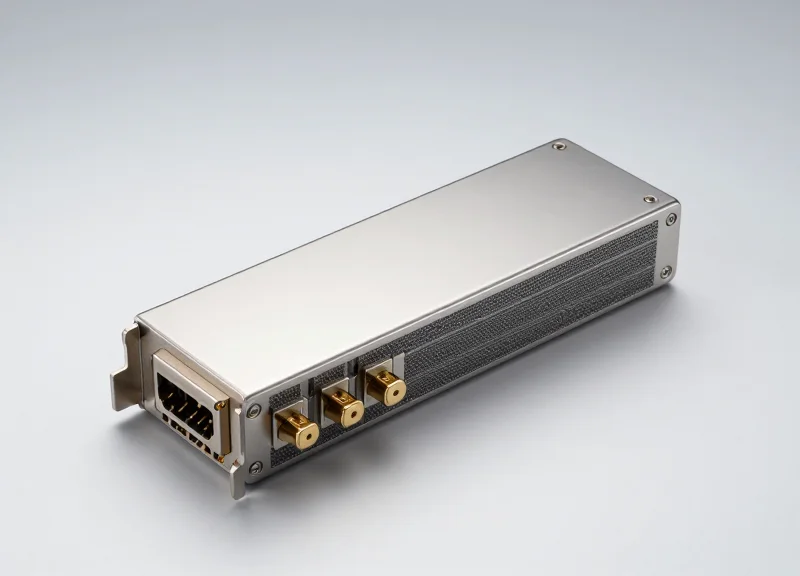
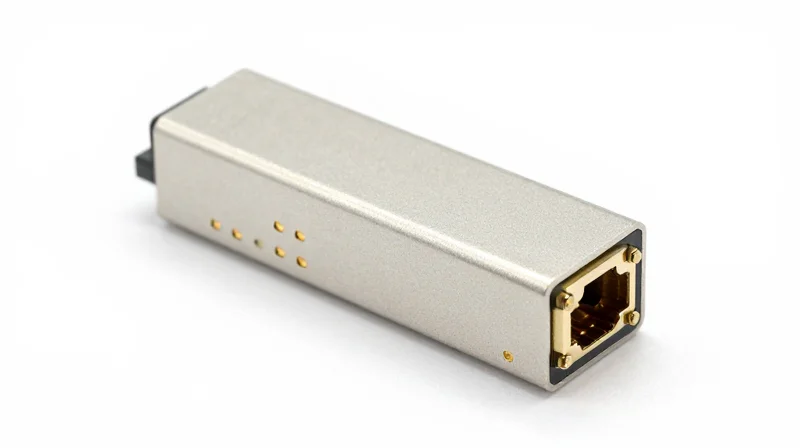
HP Aruba compatible transceivers are third-party optical modules designed, programmed, and tested to perform identically to genuine Aruba-branded optics. These components serve as the critical interface between networking hardware—such as switches and routers—and the fiber optic or copper cabling. While they are not manufactured by the Original Equipment Manufacturer (OEM), they are built to the same rigorous technical specifications, ensuring that the host device recognizes and utilizes them for high-speed data transmission without operational discrepancy.
The Engineering Foundation: MSA Compliance
The interoperability of compatible transceivers is rooted in the Multi-Source Agreement (MSA). MSA standards are industry-wide specifications that define the physical dimensions, electrical interfaces, and signaling protocols for optical modules like SFP, SFP+, and QSFP28. By strictly adhering to these standards, manufacturers ensure that a compatible module is physically and electrically indistinguishable from an OEM module, allowing it to fit perfectly into any standard-compliant port.
| Feature | Aruba OEM Transceiver | Aruba Compatible Transceiver |
|---|---|---|
| Standards Adherence | MSA Compliant | MSA Compliant |
| Firmware Coding | Proprietary Aruba Code | Reverse-Engineered Aruba Code |
| DOM/DDM Support | Fully Supported | Fully Supported |
| Cost Efficiency | Premium Pricing | High Savings (Up to 80%) |
Logical Compatibility and EEPROM Coding
The primary challenge in creating compatible optics for Aruba hardware lies in the software 'handshake.' Aruba switches run sophisticated operating systems like ArubaOS or AOS-CX, which query the transceiver's EEPROM for specific vendor data. Compatible modules are flashed with custom firmware that replicates Aruba’s vendor ID, part numbers, and security signatures. This sophisticated coding ensures the hardware bypasses 'unsupported transceiver' warnings and provides full access to Digital Optical Monitoring (DOM) data, which tracks real-time metrics like temperature and optical power.
- Are compatible transceivers legal to use?
Yes. The Magnuson-Moss Warranty Act in the US and similar competition laws globally prevent OEMs from voiding hardware warranties simply because a third-party component was used. - Will they perform as well as OEM modules?
Provided they are sourced from reputable manufacturers who use high-quality lasers and chipsets, compatible transceivers offer the same BER (Bit Error Rate) and reliability as OEM parts. - Why is the price difference so significant?
OEMs apply significant markups to hardware to subsidize R&D and support costs, whereas third-party manufacturers focus on efficient production and direct-to-market distribution.
Technical Architecture and Standards Compliance
HP Aruba compatible transceivers are engineered using a standardized hardware architecture that replicates the electrical and optical performance of OEM modules through strict adherence to Multi-Source Agreement (MSA) specifications and the implementation of custom EEPROM firmware containing Aruba-specific signatures. This dual-layer approach ensures that the transceiver is physically compatible with the SFP/QSFP ports and logically recognized by the ArubaOS-Switch and AOS-CX operating systems without triggering 'unsupported transceiver' warnings.
Optical Hardware Architecture: Laser Types and Applications
The core of any Aruba compatible transceiver is its optical engine, which utilizes specific laser technologies depending on the required bandwidth and distance. These components are sourced from tier-one manufacturers to ensure that the optical output power, extinction ratio, and wavelength stability meet or exceed the original Aruba specifications.
| Laser Type | Wavelength | Max Reach | Primary Application |
|---|---|---|---|
| VCSEL (Vertical Cavity) | 850nm | Up to 300m | 10G/25G SR Multimode |
| DFB (Distributed Feedback) | 1310nm / 1550nm | Up to 40km | 10G/100G LR/ER Singlemode |
| EML (Electro-absorption) | 1310nm / 1550nm | Up to 80km | High-speed 100G/400G Long-haul |
Electrical Interfaces and Signal Integrity Standards
Beyond the optical engine, the architecture must comply with electrical interface standards such as SFI for 10G or CAUI-4 for 100G. These standards define the differential signaling, impedance, and voltage levels required for the transceiver to communicate with the switch's ASIC. High-quality compatible modules utilize advanced Transimpedance Amplifiers (TIA) and Clock and Data Recovery (CDR) circuits to maintain signal integrity and keep Bit Error Rates (BER) below 10^-12, ensuring stable performance in high-density Aruba 6300 or 8300 series environments.
Logic and Standards Compliance
To achieve 100% compatibility, modules must strictly follow the SFF-8472 standard for Digital Diagnostics Monitoring (DDM). This allows the Aruba switch to monitor real-time parameters such as temperature, optical transmit power, and receive power. Furthermore, the EEPROM is programmed with specific Vendor OUIs and checksums that match Aruba's whitelist, ensuring the module is identified as 'Aruba' rather than 'Unsupported' during the I2C bus handshake.
- Does hardware architecture differ from OEM?
No, compatible modules use the same fundamental components, such as Broadcom or Macom chipsets and Lumentum or Finisar lasers, as OEM units. - What is the role of MSA in compatibility?
The Multi-Source Agreement provides the physical and electrical blueprints, ensuring the module fits the slot and communicates with the host system correctly. - How is the 'Aruba Signature' implemented?
It is a proprietary data block written into the EEPROM memory at specific addresses that the Aruba firmware checks during initialization.
The Importance of EEPROM Coding and Firmware

The Role of EEPROM Coding and Firmware in Aruba Ecosystems
At the core of an HP Aruba compatible transceiver is the EEPROM (Electrically Erasable Programmable Read-Only Memory), which functions as the module's digital identity. When a transceiver is inserted into an Aruba switch, the operating system (ArubaOS-Switch or ArubaOS-CX) immediately executes a 'handshake' protocol, querying the EEPROM for specific vendor identifiers, part numbers, and serialized data. If this data does not perfectly align with the switch's internal database of approved signatures, the system may flag the module as 'Unsupported,' disable the port, or withhold critical Digital Optical Monitoring (DOM) functionality. Therefore, compatibility is not merely a hardware match but a sophisticated software emulation of the original equipment manufacturer's (OEM) coding.
Decoding the Memory Maps: A0h and A2h
To achieve seamless integration, compatible transceivers must adhere to the SFF-8472 standard while incorporating Aruba-proprietary offsets. The EEPROM is divided into two primary memory maps: A0h and A2h. The A0h map stores static information such as the Vendor Name (OUI), Connector Type, and Encoding. The A2h map is dynamic, housing the Digital Optical Monitoring (DOM) parameters. For Aruba compatibility, engineers must ensure that the checksums—calculated values used to verify data integrity—are correctly generated using Aruba's specific algorithms. Even a single bit error in the checksum calculation will lead to a validation failure during the boot-up sequence.
| EEPROM Field | Generic MSA Standard | Aruba Compatible Requirement |
|---|---|---|
| Vendor Name | Variable String | Must match 'HPE' or 'ARUBA' signatures |
| Checksum (CC_BASE) | Standard CRC | Proprietary Aruba-validated algorithm |
| Serial Number | Random/Incremental | Must follow specific HPE/Aruba formatting |
| DOM Thresholds | Standard Values | Calibrated to ArubaOS-CX alarm triggers |
Firmware Agility and OS Updates
Unlike static hardware components, transceiver firmware must be agile. Aruba frequently updates its operating systems (such as the transition from ArubaOS 16.xx to ArubaOS-CX), and these updates can introduce new validation checks or change how the system interprets DOM data. High-quality compatible transceivers use programmable microcontrollers that allow for firmware 're-flashing.' This ensures that if a new software release from Aruba changes the way transceivers are interrogated, the compatible module can be updated to remain functional, preventing link down-time after a network-wide switch upgrade.
- What happens if the EEPROM coding is incorrect?
The Aruba switch will log an 'Unsupported Transceiver' error, and depending on the configuration, it may place the interface in an 'Admin Down' or 'Error Disabled' state. - Does the 'allow-unsupported-transceiver' command solve coding issues?
While this CLI command can force some ports to enable, it often disables telemetry data (DOM) and may lead to system instability, as the switch cannot accurately monitor the transceiver's voltage or temperature. - Why is the A2h map important for Aruba compatibility?
The A2h map provides real-time diagnostics. If the coding is not calibrated to Aruba's expected scales, the switch might report false alarms for laser bias current or optical power.
Categorizing Aruba Optics: From 1G SFP to 100G QSFP28
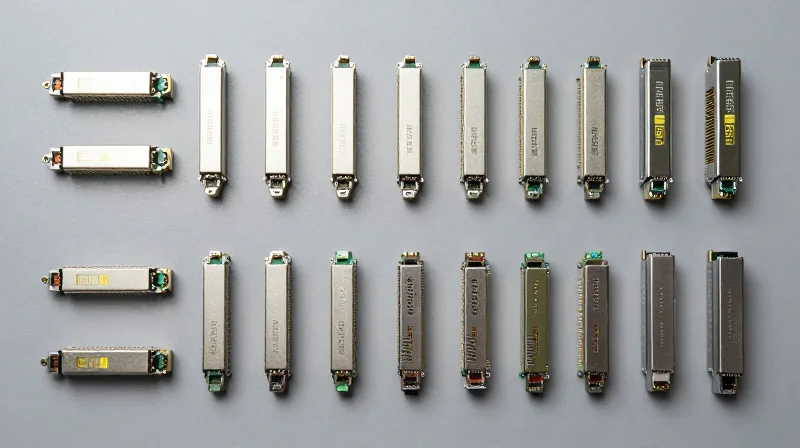
Aruba compatible transceivers are classified by their physical form factor and data transmission rates, serving as the modular building blocks for everything from the campus edge to the high-performance data center core. These optics ensure that Aruba switches—ranging from the 2930 Series to the 8400 Series—can be tailored to specific distance and bandwidth requirements through a variety of standardized interfaces including SFP, SFP+, QSFP+, and QSFP28.
Campus Edge and Aggregation: 1G SFP and 10G SFP+
The most common deployments involve SFP (Small Form-factor Pluggable) and SFP+ modules. Standard 1G SFP modules are typically utilized in the access layer, providing gigabit uplinks for edge switches or connecting IoT devices. As network demands increase, 10G SFP+ has become the standard for aggregation and distribution layers, offering a significant jump in throughput without increasing the physical footprint. Compatible Aruba SFP+ modules support various media types, including Short Range (SR) multimode fiber and Long Range (LR) single-mode fiber.
Core and Data Center Connectivity: 40G QSFP+ and 100G QSFP28
For the network core and high-density spine-and-leaf architectures, Aruba utilizes the Quad Small Form-factor Pluggable (QSFP) family. The 40G QSFP+ interface uses four 10Gbps lanes to deliver high-speed interconnects between core switches. The evolution of this technology led to the 100G QSFP28, which employs four 25Gbps lanes. This form factor is now the preferred choice for 100G links due to its high density and lower power consumption per gigabit compared to older standards.
| Form Factor | Max Data Rate | Common Media | Typical Use Case |
|---|---|---|---|
| SFP | 1 Gbps | MMF / SMF / Copper | Access Layer Uplinks |
| SFP+ | 10 Gbps | MMF / SMF / DAC | Aggregation / Storage |
| QSFP+ | 40 Gbps | MMF / SMF / MPO | Core / Distribution |
| QSFP28 | 100 Gbps | MMF / SMF / AOC | Data Center / Spine |
Frequently Asked Questions: Compatibility and Migration
- Are Aruba SFP+ ports backward compatible with 1G SFP modules?
In most ArubaOS-Switch and ArubaOS-CX platforms, SFP+ ports can support 1G SFP modules. However, the port speed usually needs to be manually configured to 1000Mbps to establish a link. - What is the physical difference between QSFP+ and QSFP28?
Physically, they share the same mechanical dimensions. The difference lies in the internal electrical interface; QSFP28 is designed to handle 25Gbps per lane, whereas QSFP+ is limited to 10Gbps per lane. - Can I use a breakout cable with Aruba QSFP28 ports?
Yes, Aruba-compatible QSFP28 modules and DACs often support breakout configurations, allowing a single 100G port to be split into four 25G (SFP28) ports for high-density server connectivity.
Performance Benchmarking: Jitter, Latency, and Power Consumption
Performance Benchmarking: Jitter, Latency, and Power Consumption
Performance benchmarking is the empirical bridge between theoretical compatibility and mission-critical reliability, ensuring that third-party optics maintain the strict signal integrity required by ArubaOS-CX environments. While software recognition (EEPROM) is the first hurdle, the hardware must perform within the narrow margins defined by the IEEE 802.3 standards to prevent bit errors and network degradation. High-quality HP Aruba compatible transceivers are engineered to match the electrical and optical profiles of OEM modules, ensuring that data-intensive applications—from NVMe storage over fabrics to real-time AI processing—experience no performance penalty.
Quantifying Signal Integrity: Latency and Jitter
In high-speed networking, latency and jitter are the primary enemies of throughput. Latency, the time it takes for a bit to travel through the transceiver's internal circuitry, must be kept at sub-microsecond levels. Jitter, or the deviation from true periodicity of a signal, can lead to Bit Error Rate (BER) spikes if not properly managed. Premium compatible modules utilize high-grade Clock and Data Recovery (CDR) chips to ensure that timing remains precise, even over maximum cable distances.
| Metric | Aruba OEM Spec | Premium Compatible | Performance Impact |
|---|---|---|---|
| Latency (10G SFP+) | < 0.1 µs | < 0.1 µs | Negligible / Parity |
| Jitter (RMS) | < 5 ps | < 5.2 ps | Within IEEE Tolerance |
| Power (100G QSFP28) | < 3.5 W | < 3.5 W | Thermal Stability |
| Bit Error Rate (BER) | 10^-12 | 10^-12 | Error-Free Transmission |
Thermal Dynamics and Power Consumption
Power consumption is often an overlooked metric, yet it is vital for the longevity of the switch chassis. Aruba switches, particularly high-density models like the Aruba 6400 or 8325, have specific thermal envelopes. A transceiver that consumes excessive power generates excess heat, which can lead to premature failure of neighboring components. Leading compatible transceivers are designed with low-power CMOS technology, ensuring they operate within the standard Power Class limits (e.g., Class 4 for QSFP28) to maintain a stable thermal profile across the entire switch fabric.
Performance FAQ
- Do compatible transceivers increase the Bit Error Rate (BER)?
No. When manufactured to MSA standards with high-quality TOSA/ROSA components, compatible transceivers maintain a BER of 10^-12 or better, ensuring no data loss compared to OEM modules. - Will using compatible modules affect the latency of my Aruba fabric?
High-quality compatible modules use the same PHY chipsets as OEM versions, resulting in identical processing times and sub-microsecond latency levels. - Can these modules handle the high-density requirements of ArubaOS-CX switches?
Yes, provided the modules are 'Industrial' or 'Extended' temperature rated, they can handle the airflow and heat challenges of fully populated 48-port or 128-port switch configurations.
The Economics of Third-Party Transceivers

The Economics of Third-Party Transceivers
The primary driver for adopting Aruba-compatible transceivers is the dramatic reduction in Capital Expenditure (CapEx), often reaching 70% to 90% savings compared to OEM-branded equivalents, without compromising link integrity or performance. For large-scale data center deployments or campus-wide refreshes, the markup on original equipment manufacturer (OEM) optics can represent a disproportionate slice of the total project budget, sometimes exceeding the cost of the switching hardware itself.
Strategic Budget Reallocation
By shifting the procurement strategy from high-margin OEM optics to high-quality compatibles, IT departments can move away from 'vendor lock-in' financial models. This reclaimed budget allows organizations to reallocate funds toward critical infrastructure priorities that offer higher value, such as upgrading to 100G core backbones, investing in advanced AI-driven network analytics, or enhancing edge security protocols. Essentially, the savings from transceivers can subsidize the next generation of network performance.
| Transceiver Type | Typical OEM Price (Est.) | Compatible Price (Est.) | Potential Savings |
|---|---|---|---|
| 10G SFP+ SR | $400 - $600 | $20 - $40 | ~94% |
| 25G SFP28 SR | $800 - $1,100 | $60 - $90 | ~91% |
| 40G QSFP+ ESR4 | $1,500 - $2,200 | $150 - $250 | ~89% |
| 100G QSFP28 SR4 | $3,000 - $4,500 | $400 - $600 | ~86% |
Total Cost of Ownership (TCO) and Operational Velocity
The economic benefits extend beyond the initial purchase. Supply chain agility plays a massive role in Total Cost of Ownership; third-party vendors often maintain deeper inventory levels and offer significantly shorter lead times than OEMs. This prevents costly project delays and allows businesses to maintain a 'cold-spare' inventory on-site for immediate replacement, ensuring maximum uptime without the massive capital tie-up required by OEM pricing.
- Does using compatible transceivers void my Aruba warranty?
No. Legally, under the Magnuson-Moss Warranty Act in the US and similar fair-competition laws globally, a manufacturer cannot void a hardware warranty simply because a third-party component was used, unless they can prove the component specifically caused the failure. - How do compatible optics affect support contracts?
While HP Aruba support may ask you to remove a third-party module if they suspect a physical layer issue during troubleshooting, the overarching support contract for the switch remains intact. Keeping a few OEM modules for troubleshooting purposes is a common best practice. - Is the failure rate higher for third-party modules?
When sourced from reputable vendors who use the same Tier-1 laser components (like Broadcom or Finisar) as OEMs, the failure rates (MTBF) are virtually identical, typically remaining well below 0.1%.
Warranty and Support: Debunking the Myths
Warranty and Support: Debunking the Myths
Contrary to common industry misconceptions, using third-party HP Aruba compatible transceivers does not void the warranty of your network switches. Under federal law and standard industry practices, manufacturers like Hewlett Packard Enterprise (HPE) cannot legally deny hardware warranty support simply because a non-original component is installed, provided that the component did not cause direct damage to the device. This ensures that IT departments can optimize their budgets without sacrificing the protection of their capital infrastructure.
The Magnusson-Moss Warranty Act
In the United States, the Magnusson-Moss Warranty Act of 1975 serves as the primary legal shield for consumers and enterprises. This act prohibits 'tie-in sales' provisions, which would otherwise force consumers to buy branded peripherals to keep a warranty active. If an Aruba switch experiences a failure—such as a fan failure or a CPU error—that is unrelated to the transceiver, HPE is legally obligated to honor the warranty. The burden of proof lies entirely with the manufacturer to demonstrate that a third-party transceiver specifically caused a hardware failure before any claim can be denied.
Navigating HPE Aruba Support (TAC) Protocols
While the hardware warranty remains valid, it is important to understand the standard operating procedures for Technical Assistance Center (TAC) support. If you encounter a network issue that appears related to physical connectivity or port errors, a support engineer may request that you reproduce the issue using an HPE-branded transceiver. This is a standard troubleshooting step used to isolate the variable. Once the issue is proven to persist regardless of the transceiver brand, support must proceed as normal.
| Policy Aspect | OEM Transceivers | Compatible Transceivers (MSA Compliant) |
|---|---|---|
| Warranty Coverage | Standard Factory Warranty | Standard Factory Warranty (Protected by Law) |
| Support Troubleshooting | Full direct support | May require OEM module for port-level isolation |
| Legal Protection | N/A | Protected by Magnusson-Moss Act |
| Risk of Rejection | Zero | None, unless the part causes physical damage |
Frequently Asked Questions Regarding Support
- Will the 'Unsupported Transceiver' log message void my warranty?
No. The log message is simply a notification that the switch has detected a non-HPE vendor ID in the EEPROM. It is a software flag and has no bearing on the legal status of your hardware warranty. - What happens if a compatible module actually damages the switch?
In the highly unlikely event that a faulty third-party module causes electrical damage, the switch warranty may not cover that specific repair. However, reputable vendors of compatible optics provide their own warranties that often include 'damage-to-host' protection to cover such incidents. - Do I need special commands to use compatible optics in Aruba switches?
On some versions of ArubaOS and AOS-CX, you may need to enable the 'allow-unsupported-transceiver' command. This command is a configuration preference and does not impact your legal warranty rights.
Deployment Scenarios: Enterprise Campus to Cloud Data Centers

HP Aruba compatible transceivers serve as the versatile connectivity backbone for modern network infrastructures, enabling organizations to scale bandwidth from 1G to 400G across varied geographical and logical environments. By leveraging these modules, network architects can deploy high-density fiber links in the core of a data center while maintaining cost-effective copper or short-range fiber connections at the campus edge, all while ensuring seamless integration with ArubaOS-CX and ArubaOS-Switch operating systems.
Enterprise Campus: From Access to Core
In a traditional three-tier enterprise campus design, compatible transceivers provide the critical links between access, aggregation, and core layers. For the access layer, where switches like the Aruba 6100 or 6300M are prevalent, 1G and 10G SFP/SFP+ modules are used for workstation uplinks and wireless access point connectivity. As traffic aggregates toward the core (e.g., Aruba 8400 series), compatible 40G and 100G modules facilitate high-speed backbones that prevent bottlenecks during peak usage, such as video conferencing or large-scale cloud synchronization tasks.
Cloud Data Centers and Spine-Leaf Architectures
Modern data centers have transitioned from legacy hierarchical models to leaf-spine architectures to reduce latency and improve east-west traffic flow. In these environments, Aruba CX 8325 or 8360 switches act as leaves, requiring high-density 10G/25G connections to servers. Compatible QSFP28 100G transceivers are then utilized for the high-bandwidth uplinks to the spine switches. This architecture demands extreme reliability and low power consumption, two areas where high-quality compatible modules excel by matching the rigorous thermal and electrical specifications of the original equipment.
| Deployment Scenario | Typical Aruba Hardware | Recommended Transceiver Speed | Primary Connectivity Type |
|---|---|---|---|
| Campus Access Layer | Aruba 6200/6300 Series | 1G to 10G | SFP/SFP+ (SR, LR, RJ45) |
| Campus Core | Aruba 5400R/8400 Series | 40G to 100G | QSFP+/QSFP28 (SR4, LR4) |
| Data Center Leaf/Spine | Aruba CX 8325/9300 | 100G to 400G | QSFP28/QSFP-DD |
| Edge Computing/IoT | Aruba 4100i (Industrial) | 1G to 10G | Industrial Temp SFP |
Edge Computing and Distributed Environments
The rise of edge computing requires networking hardware to be deployed in non-traditional environments, such as outdoor enclosures or factory floors. HP Aruba compatible transceivers include 'Industrial Temperature' variants specifically designed for these scenarios. When paired with ruggedized switches like the Aruba 4100i, these modules support critical IoT gateways and edge processing nodes, ensuring that fiber connectivity remains stable even in fluctuating thermal conditions that would cause standard commercial-grade optics to fail.
- Can I mix compatible and OEM transceivers in the same Aruba stack?
Yes. Aruba switches treat high-quality compatible modules identically to OEM modules, allowing you to mix and match them within the same switch or stack without impacting link aggregation or failover protocols. - Are compatible transceivers suitable for long-haul data center interconnects (DCI)?
Absolutely. Compatible 10G ZR or 100G ER4 modules are frequently used for DCI applications, providing reach up to 40km or 80km to link geographically dispersed data centers via dark fiber. - How do compatible modules handle 25G/50G breakout configurations?
Quality compatible QSFP28 modules fully support breakout mode (e.g., 1x100G to 4x25G), which is a common requirement in high-density Aruba CX leaf switch deployments.
How to Select a Reliable Compatible Transceiver Vendor
How to Select a Reliable Compatible Transceiver Vendor
The reliability of HP Aruba compatible transceivers is not determined by the hardware alone, but by the vendor's ability to replicate the exact EEPROM coding and signaling requirements of the original manufacturer. A top-tier vendor operates more like an engineering firm than a simple reseller, maintaining a sophisticated laboratory where modules are coded, tested, and validated against the specific firmware versions of Aruba AOS and AOS-CX switches.
Key Criteria for Vendor Evaluation
When auditing a potential supplier, focus on three primary pillars: technical validation, manufacturing standards, and financial stability. A vendor that lacks a physical testing lab or fails to provide documentation for ISO certifications should be considered a high-risk choice for enterprise-grade environments.
| Feature | Tier-1 Compatible Vendor | Generic/Budget Reseller |
|---|---|---|
| Testing Environment | Actual Aruba Switches (6300M, 5400R, etc.) | Software Simulation Only |
| Quality Certification | ISO 9001:2015, CE, RoHS, FCC | Often undocumented |
| Warranty Terms | Lifetime Replacement Warranty | Limited 1-year or 90-day |
| Technical Support | Dedicated Network Engineers | Sales/Customer Service only |
| Coding Accuracy | Custom EEPROM for specific firmware | Bulk generic coding |
The Importance of In-System Testing
Many low-cost vendors use generic 'multi-coded' modules that attempt to work across multiple brands. However, Aruba's strict 'unsupported transceiver' logic requires precise coding to avoid port-disablement or error messages. A reliable vendor performs 'In-System Testing,' meaning every batch is verified inside the actual chassis types you use in your production environment to ensure Digital Optical Monitoring (DOM) data is reported accurately.
- Do you maintain an on-site Aruba compatibility lab?
A reliable vendor should be able to list the specific Aruba switch models they use for verification. - Is the hardware TAA compliant?
For government or high-security enterprise sectors, Trade Agreements Act (TAA) compliance is often a mandatory requirement for networking components. - What is your failure rate (MTBF)?
Reputable vendors track Mean Time Between Failures and should report a failure rate of less than 0.03%. - How do you handle firmware updates?
Ask if the vendor provides free re-coding services if a future Aruba firmware update renders a module incompatible.
Warranty and Post-Sales Support
Finally, look for a 'Lifetime Warranty.' Because transceivers are solid-state devices, failures typically occur either in the first 48 hours (infant mortality) or after several years of heat-induced degradation. A vendor offering a lifetime warranty signals confidence in their thermal management and laser quality. Additionally, ensure they offer Advanced Replacement, so you receive a new unit before shipping back the suspect one, minimizing network downtime.
HP Aruba compatible transceivers offer a strategic advantage for network engineers who need to balance performance with fiscal responsibility. By understanding the technical nuances and ensuring you source from reputable vendors, you can build a more resilient and scalable network. Ready to optimize your infrastructure? Contact our technical sales team for a custom quote on HP Aruba compatible optics today.