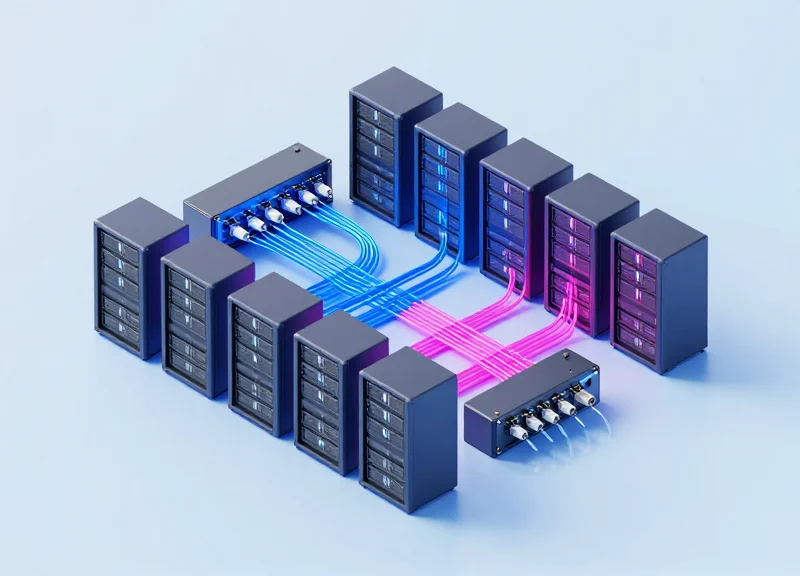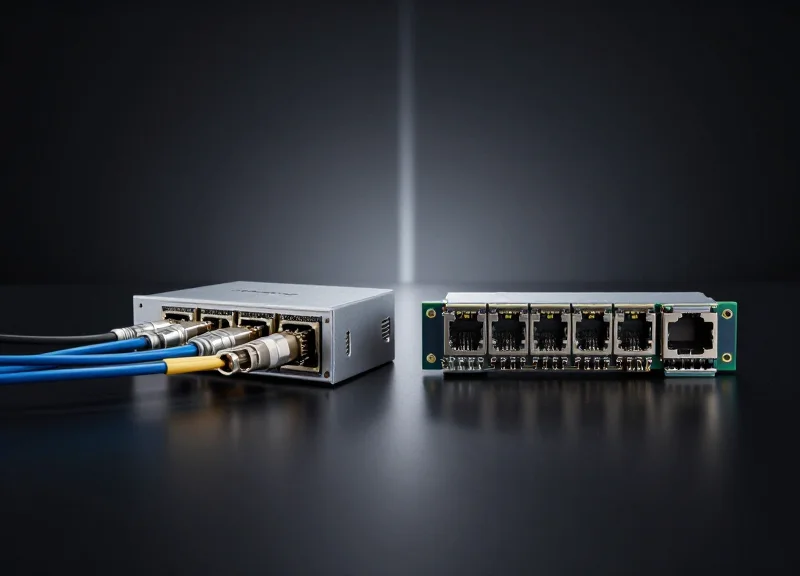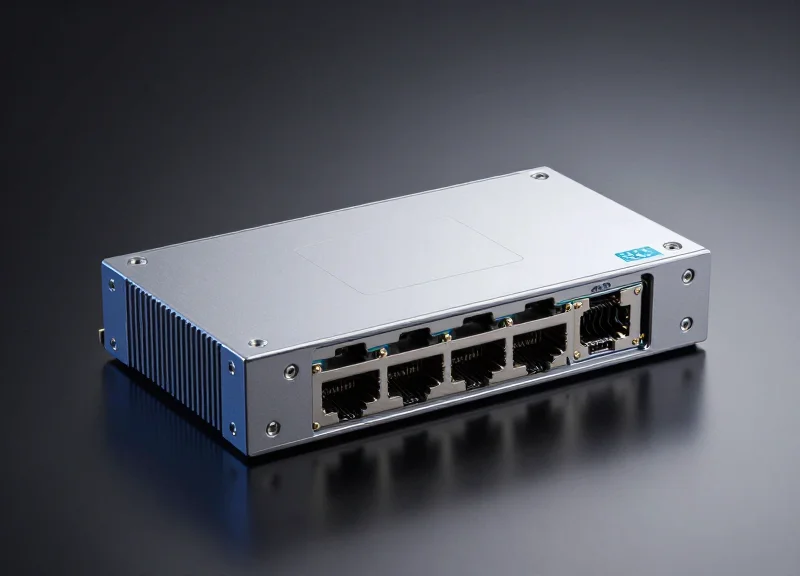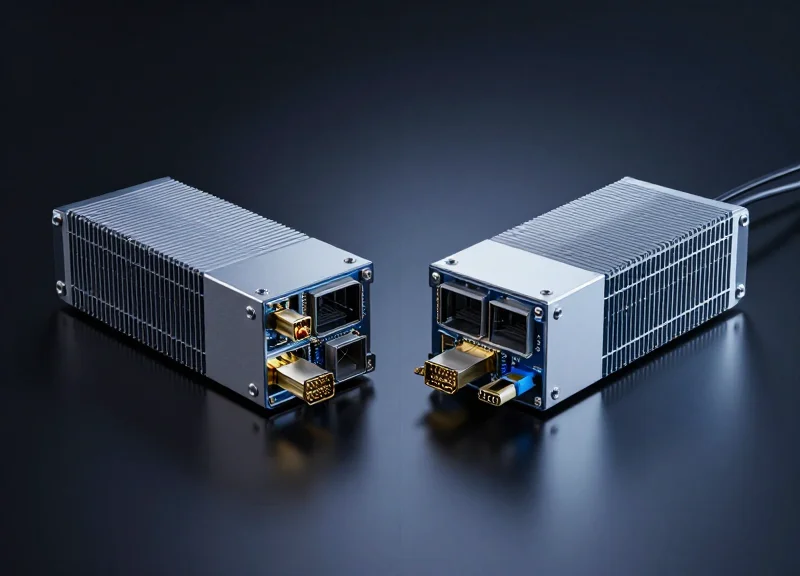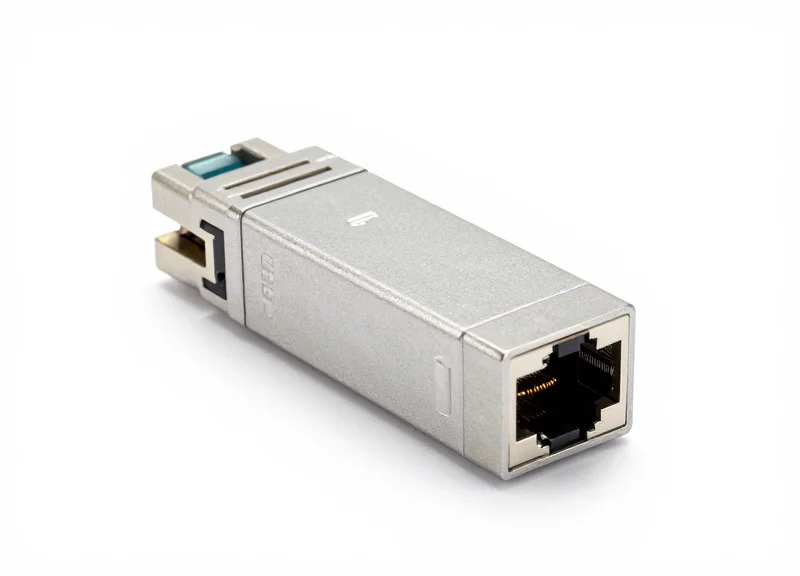
As data centers and enterprise networks push for higher bandwidth, the challenge often lies in bridging the gap between high-speed SFP+ ports and existing copper infrastructure. This guide provides an authoritative look at the SFP+ to RJ45 copper transceiver—a critical component for cost-effective 10GbE deployments.
Understanding the SFP+ to RJ45 Copper Transceiver
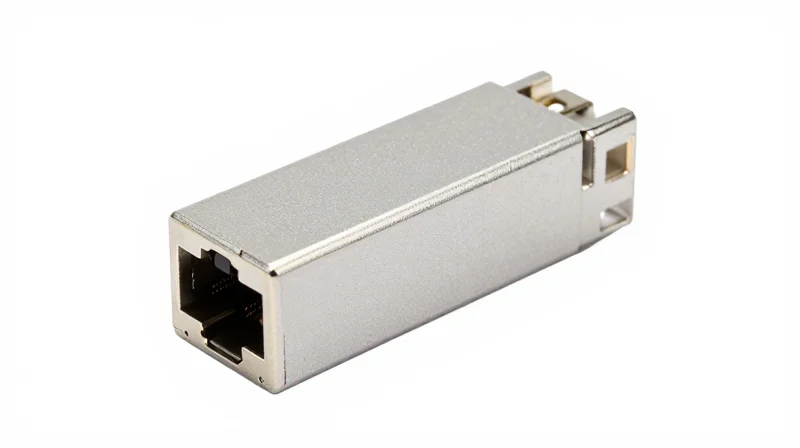
The SFP+ to RJ45 copper transceiver, formally known as a 10GBASE-T SFP+ module, is a specialized interface converter that allows a device's Small Form-factor Pluggable Plus (SFP+) slot to connect to standard RJ45 copper cabling. Unlike native fiber SFP+ modules that use light pulses, this transceiver integrates a complex PHY (Physical Layer) chip to translate the high-speed serial electrical signals of the SFP+ interface into the 10GBASE-T standard, enabling 10 Gigabit Ethernet connectivity over ubiquitous twisted-pair cables like Cat6a and Cat7.
Core Technical Specifications
To understand the utility of these modules, one must look at the technical constraints and capabilities defined by the 10GBASE-T IEEE 802.3an standard. These transceivers are primarily designed for short to medium-range links within data centers or enterprise equipment rooms.
| Feature | Technical Specification |
|---|---|
| Standard | IEEE 802.3an (10GBASE-T) |
| Connector Type | RJ45 |
| Maximum Data Rate | 10 Gbps (often with 1G/2.5G/5G multi-gig support) |
| Cable Type | Cat6a / Cat7 (Cat6 up to 30m) |
| Maximum Reach | 30m, 80m, or 100m (model dependent) |
| Power Consumption | Typically 2.0W - 2.5W |
The Role of the Internal PHY
The defining characteristic of an SFP+ to RJ45 module is its internal Physical Layer (PHY) chip. Because the SFP+ host interface was originally designed for low-power optical engines or Direct Attach Copper (DAC) cables, it does not natively provide the signaling required for 10GBASE-T. The internal PHY performs advanced Digital Signal Processing (DSP) to handle line coding, equalization, and echo cancellation required to push 10Gbps through copper wires. This process is computationally intensive, which is why copper transceivers typically consume more power and generate more heat than their optical counterparts.
Common Questions Regarding Copper SFP+ Modules
- Why is the distance limited to 30m or 80m?
The power budget of a standard SFP+ port is limited (usually around 1.5W to 2.5W). Driving a 10Gbps signal over 100 meters of copper requires more power than many SFP+ slots can safely provide, leading to shorter distance ratings for these specific modules compared to fixed-port 10GBASE-T switches. - Does it support Multi-Gigabit rates?
Most modern SFP+ to RJ45 transceivers are 'Multi-Gig' compatible, meaning they can auto-negotiate between 100Mbps, 1Gbps, 2.5Gbps, 5Gbps, and 10Gbps, depending on the capabilities of the connected device and cable quality. - Can I use Cat5e with these transceivers?
While Cat5e may work for 1Gbps or potentially 2.5Gbps over very short distances, it is not recommended for 10Gbps. Cat6a is the minimum requirement for reliable 10G performance up to the transceiver's rated distance.
Technical Specifications: Speed, Distance, and Standards
Technical Specifications: Speed, Distance, and Standards
The SFP+ to RJ45 transceiver operates under the IEEE 802.3an standard, which defines 10GBASE-T Ethernet over twisted-pair copper cabling. Unlike optical transceivers that use light pulses, these modules utilize complex Digital Signal Processing (DSP) to mitigate electromagnetic interference and crosstalk, allowing for high-speed data transmission over standard Category 6a or Category 7 infrastructure.
The Evolution of Distance Tiers: 30m to 100m
Transmission distance in SFP+ copper modules is strictly governed by power consumption and thermal management. Because SFP+ slots were originally designed for low-power optical modules (typically <1W), the high power draw required for 10GBASE-T (historically 2.5W to 5W) initially limited reach to 30 meters. Advances in PHY chip manufacturing have introduced more efficient tiers.
| Module Type | Max Distance | Cable Type | Power Consumption |
|---|---|---|---|
| Standard 10GBASE-T | 30 Meters | Cat6a / Cat7 | ~2.5W |
| Enhanced Reach | 80 Meters | Cat6a / Cat7 | ~2.0W |
| Full Reach | 100 Meters | Cat6a / Cat7 | ~1.8W - 2.3W |
NBASE-T and Multi-Rate Support
Modern SFP+ to RJ45 transceivers have moved beyond static 10Gbps speeds to support NBASE-T technology (IEEE 802.3bz). This allows the module to auto-negotiate between 10G, 5G, 2.5G, and 1G speeds. This versatility is critical for enterprise environments where legacy Cat5e or Cat6 cabling may not support full 10Gbps throughput but can reliably handle 2.5G or 5G speeds over the full 100-meter specification.
- Does SFP+ to RJ45 support Auto-Negotiation?
Yes, most modern modules support auto-negotiation, allowing them to interface with a wide range of devices, though some older switches may require manual speed strapping. - What is the impact of latency compared to fiber?
10GBASE-T copper modules introduce slightly higher latency (approx. 2.6 microseconds) compared to SFP+ Direct Attach Copper or Fiber (approx. 0.1 microseconds) due to the overhead of the 64b/66b encoding and DSP. - Why is Cat6a required for 10Gbps at 100 meters?
Cat6a features improved shielding and tighter twists that significantly reduce Alien Crosstalk (AXT), which is the primary barrier to maintaining 10Gbps signals over long copper runs.
The Power Consumption and Heat Challenge

The Engineering Reality of Power Consumption
The defining technical challenge of SFP+ to RJ45 copper transceivers is their high power draw, which typically ranges between 2.0W and 2.5W per module. This is significantly higher than the 0.7W to 1.0W consumed by typical SFP+ SR/LR optical transceivers. The increased power requirement is a direct result of the intensive Digital Signal Processing (DSP) and complex PHY chips required by the 10GBASE-T standard to manage echo cancellation, crosstalk, and signal equalization over copper twisted-pair cabling.
Comparative Power Profile: Copper vs. Optical vs. DAC
| Module Type | Power Consumption | Heat Dissipation | Standard |
|---|---|---|---|
| SFP+ to RJ45 Copper | 2.0W - 2.5W | High | 10GBASE-T |
| SFP+ Optical (SR/LR) | < 1.0W | Low | 10GBASE-SR/LR |
| SFP+ Direct Attach (DAC) | < 0.1W | Negligible | 10GSFP+Cu |
Thermal Management and Density Constraints
Because SFP+ slots were originally designed for low-power optical modules, the excess heat generated by copper modules can exceed the thermal cooling capacity of a switch's chassis. If too many SFP+ to RJ45 modules are placed in adjacent ports, the heat cannot dissipate efficiently, leading to thermal throttling, increased bit error rates (BER), or even physical damage to the switch's internal components. This has led to the adoption of specific deployment strategies to maintain operational stability.
- Can I fill all ports in a high-density switch with RJ45 modules?
Generally, no. Most manufacturers recommend a 'checkerboard' pattern, leaving adjacent ports empty to allow for airflow, or limiting the total number of copper modules based on the switch's overall power budget. - How does distance affect power consumption?
Modern NBASE-T modules use less power for shorter distances (e.g., 30m) compared to 80m or 100m modules, as the DSP does not have to work as hard to maintain signal integrity. - Do these modules get hot to the touch?
Yes, SFP+ to RJ45 modules often reach temperatures between 60°C and 70°C. They are typically designed with integrated heat sinks or specialized metal casings to radiate heat outward.
Advancements in 28nm and 16nm PHY chipsets have begun to lower the power profile of newer SFP+ to RJ45 modules towards the 1.6W range, but they remain the most thermally demanding interconnect option in the SFP+ ecosystem. When designing a network, calculating the total power budget of the switch's SFP+ fabric is essential to ensure long-term reliability.
SFP+ Copper vs. Fiber vs. DAC: A Comparative Analysis
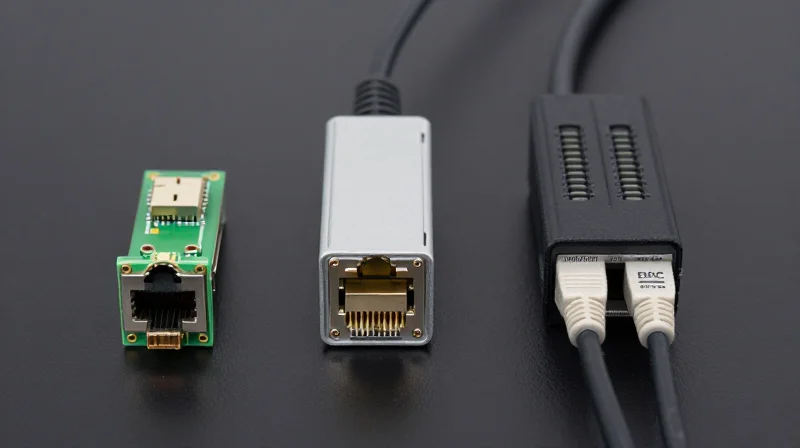
SFP+ Copper vs. Fiber vs. DAC: A Comparative Analysis
Choosing between SFP+ RJ45 copper modules, optical fiber transceivers, and Direct Attach Cables (DAC) is a strategic decision driven by three primary variables: transmission distance, power budget, and existing cabling infrastructure. While SFP+ to RJ45 modules provide the essential versatility to utilize standard Cat6a/7 Ethernet cabling, they face unique engineering challenges in power consumption and signal latency that are virtually non-existent in fiber-optic and twinaxial copper solutions.
Core Technical Specifications Table
| Feature | SFP+ RJ45 (Copper) | SFP+ SR (Fiber) | SFP+ DAC |
|---|---|---|---|
| Transmission Medium | Cat6a / Cat7 Copper | Multi-mode Fiber (OM3/OM4) | Twinaxial Copper (Passive) |
| Maximum Reach | Up to 30m/80m/100m | Up to 300m - 400m | Up to 7m - 10m |
| Power Consumption | 2.0W to 2.5W | Less than 1.0W | Approx. 0.1W |
| Latency (per link) | ~2.6 microseconds | ~0.1 microseconds | ~0.3 microseconds |
| Relative Cost | Moderate | High (Module + Fiber) | Low (Integrated Cable) |
Analyzing the Trade-offs: Latency and Heat
The primary differentiator in high-frequency trading or high-performance computing (HPC) environments is latency. SFP+ to RJ45 modules exhibit significantly higher latency due to the complex Digital Signal Processing (DSP) and Line Coding required to push 10Gbps through twisted-pair copper. In contrast, DAC and Fiber solutions provide near-instantaneous transmission. Furthermore, the thermal profile of RJ45 modules (consuming up to 2.5W per port) can lead to 'hot spots' in high-density switches, whereas DACs remain nearly cool to the touch, drastically reducing cooling overhead.
Frequently Asked Questions
- When should I choose SFP+ RJ45 over Fiber?
Select SFP+ RJ45 modules when you must connect a 10G switch to a server, NAS, or workstation that only has a built-in 10GBASE-T RJ45 port, or when reusing existing Cat6a copper patches under 100 meters where pulling new fiber is cost-prohibitive. - Why is DAC preferred for Top-of-Rack (ToR) applications?
Direct Attach Cables are the gold standard for intra-rack connections because they offer the lowest possible power consumption and cost. Since the transceiver is integrated into the cable, there are no optical lasers involved, reducing failure points and energy waste. - Can I mix these different SFP+ types in the same switch?
Yes, most enterprise-grade switches allow mixing RJ45, Fiber, and DAC modules. However, administrators must ensure the switch's power supply and airflow can handle the higher heat density of copper RJ45 modules if multiple are placed in adjacent ports. - Does distance affect the reliability of Copper SFP+?
Yes. While modern modules support up to 80m or 100m, signal integrity decreases as length increases. For distances exceeding 30m, Cat6a or higher is mandatory to maintain 10G speeds without excessive bit error rates (BER).
Ideal Use Cases for RJ45 SFP+ Modules
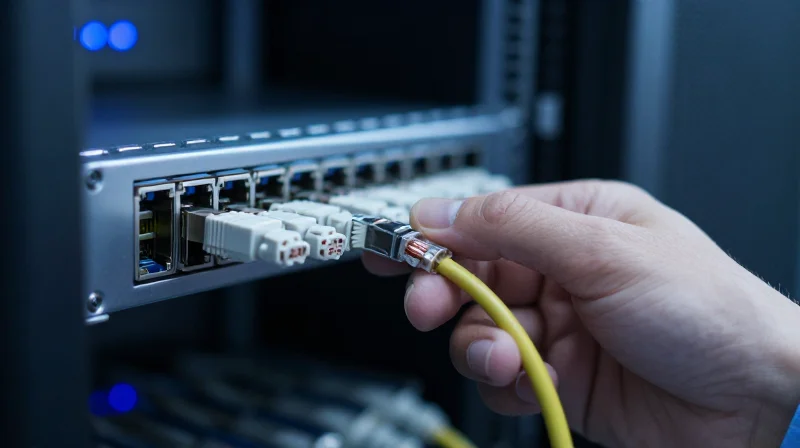
Optimal Deployment Scenarios for 10GBASE-T SFP+ Modules
The primary utility of SFP+ to RJ45 copper modules lies in their ability to provide high-speed 10G connectivity over short to medium distances using existing twisted-pair cabling. While fiber optics and DACs dominate long-haul and ultra-low-latency paths, the RJ45 module is the bridge that allows network administrators to utilize SFP+ switch ports with standard copper patch leads. This flexibility is critical for environments where installing new fiber runs is cost-prohibitive or physically impossible, enabling 10Gbps speeds up to 30 or 80 meters depending on the module generation and cable grade.
1. Data Center Top-of-Rack (ToR) Connectivity
In modern data centers, many servers, storage arrays, and appliances are equipped with built-in 10GBASE-T RJ45 ports to simplify connectivity. To integrate these devices into a Top-of-Rack (ToR) switch that features only SFP+ slots, RJ45 copper modules are indispensable. They allow for a heterogeneous environment where a single switch can support both high-density copper server connections and high-speed fiber uplinks simultaneously without requiring a dedicated copper-only switch.
2. Incremental LAN Upgrades and Legacy Infrastructure
Transitioning an enterprise LAN from 1Gbps to 10Gbps often faces the hurdle of existing cabling infrastructure. RJ45 SFP+ modules permit an incremental upgrade strategy. Organizations can replace core or distribution switches first, using copper modules to maintain connectivity with legacy workstations and older servers over existing Cat6 or Cat6a cabling. This avoids the disruptive and expensive process of ripping and replacing copper with fiber in walls and ceilings until it is strictly necessary.
3. Connecting High-Bandwidth Edge Devices
Small to Medium Businesses (SMBs) and creative studios often rely on high-performance Network Attached Storage (NAS) and professional workstations for 4K/8K video editing. Since these devices frequently ship with standard 10G RJ45 ports, SFP+ copper modules provide the necessary interface to professional-grade SFP+ switching fabric. Additionally, the latest generation of Wi-Fi 6 and Wi-Fi 7 Access Points often require 2.5G or 5G (NBASE-T) backhaul; modern RJ45 SFP+ modules can auto-negotiate these speeds to prevent bottlenecks at the wireless edge.
| Use Case Scenario | Typical Distance | Primary Advantage |
|---|---|---|
| ToR Server Connectivity | 1m - 7m | Connects built-in 10GBASE-T NICs to SFP+ fabric |
| Enterprise Floor Wiring | 20m - 80m | Reuses existing Cat6a cabling for 10G bandwidth |
| SMB NAS/Storage | 3m - 15m | Simplifies connectivity for consumer-grade 10G hardware |
| WAP Backhaul | Up to 100m | Supports NBASE-T (2.5G/5G) for modern Access Points |
Frequently Asked Questions: Application Logic
- Can I use RJ45 SFP+ modules for 100-meter 10G runs?
Standard 10GBASE-T SFP+ modules are usually limited to 30 or 80 meters due to power and heat constraints. For full 100-meter 10G performance, dedicated 10GBASE-T switches or fiber optics are required. - Are these modules suitable for high-density switch configurations?
Due to high power consumption (up to 2.5W) and heat generation, it is often recommended to populate every other SFP+ port with a copper module to maintain proper airflow and prevent thermal throttling. - Do these modules support lower speeds like 1Gbps?
Most modern 'triple-speed' or 'multi-gig' RJ45 SFP+ modules support 100Mbps, 1Gbps, 2.5Gbps, 5Gbps, and 10Gbps, but you must verify that the host switch also supports these negotiated rates.
Compatibility and Interoperability Essentials
Compatibility and Interoperability Essentials
Ensuring that an SFP+ to RJ45 copper module functions correctly across diverse network hardware requires a deep understanding of two distinct layers: the physical/electrical layer defined by Multi-Source Agreements (MSA) and the software layer governed by vendor-specific EEPROM coding. While the hardware might be physically identical, the digital 'handshake' between the module and the switch often determines whether a link is established or if the port is administratively disabled.
The Role of MSA Standards
The Multi-Source Agreement (MSA) is an industry-wide standard that defines the mechanical form factor and electrical interface of SFP+ modules. By adhering to MSA standards like SFF-8431, manufacturers ensure that their copper modules are physically compatible with any SFP+ slot. This standardization is what allows the module to draw the correct voltage and communicate via the I2C serial interface, regardless of whether it is inserted into an Arista or a Cisco switch.
EEPROM Coding and Vendor Lock-in
Despite physical standardization, many Tier-1 vendors implement 'vendor locking.' Within every SFP+ to RJ45 module is a small EEPROM chip containing metadata such as the manufacturer name, serial number, and a unique vendor ID. When a module is inserted, the host switch reads this data; if the ID does not match the switch vendor's internal whitelist, the switch may trigger an 'unsupported transceiver' error. Third-party module providers overcome this by precisely mirroring the EEPROM code of original equipment manufacturer (OEM) modules.
| Vendor Category | Compatibility Logic | Common Examples |
|---|---|---|
| Strictly Locked | Rejects any module without a specific, encrypted vendor signature. | Cisco, HP/Aruba, Juniper |
| Open / Standard | Accepts any module that adheres to basic MSA electrical standards. | Ubiquiti, Mikrotik, Netgear |
| Configurable | Accepts third-party modules only after a specific CLI command is issued. | Arista, Mellanox |
Interoperability FAQ
- Can I use a 'Generic' module in a Cisco switch?
Generally, no. Cisco switches require modules with specific EEPROM coding. However, most reputable third-party vendors sell 'Cisco-coded' modules that function identically to OEM versions. - What is the 'service unsupported-transceiver' command?
This is a hidden command used in many Cisco and Arista environments to force the switch to enable a port even if the module fails the vendor ID check. - Do I need to match brands on both ends of the cable?
No. The SFP+ to RJ45 module only needs to be compatible with the switch it is plugged into. The Cat6a cable in between and the device on the other end are brand-agnostic. - Will a firmware update break third-party compatibility?
It is rare but possible. Some vendors have used firmware updates to tighten their whitelist requirements, which is why it is vital to source modules from vendors who offer lifetime coding support.
Installation and Troubleshooting Best Practices
Installation and Troubleshooting Best Practices
Successfully deploying SFP+ to RJ45 copper modules requires more than just physical insertion; it demands a rigorous focus on signal integrity, heat management, and strict adherence to Category cabling standards to maintain a consistent 10Gbps link over copper infrastructure. Unlike fiber optics, copper modules are highly sensitive to the physical environment and power consumption limits of the host switch.
Cable Quality and EMI Mitigation
The transition from fiber to copper within an SFP+ port introduces susceptibility to electromagnetic interference (EMI) and alien crosstalk. For 10GBASE-T transmission, using Category 6a (Cat6a) is the industry gold standard. While Cat6 may work at shorter distances, its lack of robust shielding often leads to increased bit error rates (BER) in high-density environments.
| Feature | Category 6 (Cat6) | Category 6a (Cat6a) |
|---|---|---|
| Max 10G Distance | 37 - 55 Meters | 100 Meters |
| Bandwidth | 250 MHz | 500 MHz |
| EMI Resistance | Low (Susceptible to Crosstalk) | High (Superior Shielding) |
| Recommended Use | Patching / Short Runs | Full Infrastructure Deployment |
Common Troubleshooting Scenarios
- Why is the link LED not lighting up?
Check for speed mismatch. SFP+ ports are often locked to 10G; if the connected device only supports 1G and the module does not support multi-rate auto-negotiation, the link will fail. Manually setting the port speed can often resolve this. - How do I manage module overheating?
SFP+ to RJ45 modules consume significantly more power (up to 2.5W) than optical counterparts. Avoid 'stacking' modules in adjacent ports if the switch has thermal limitations, and ensure the rack environment has active front-to-back cooling. - What causes intermittent packet loss on copper links?
Usually, this is due to poor termination or exceeding the bend radius. Ensure RJ45 connectors are crimped to TIA-568B standards and that cables are not tightly bundled with high-voltage power lines, which induces EMI. - Does the module show 'Unsupported' in the CLI?
This indicates a vendor lock-in issue. You must ensure the module's EEPROM is coded with the specific signature required by your switch manufacturer (e.g., Cisco, Arista, or HPE) to bypass firmware-level rejection.
Before finalizing any installation, always verify the Digital Optical Monitoring (DOM) data if the module supports it. Although DOM is more common in fiber, many modern SFP+ to RJ45 modules provide real-time voltage and temperature readings through the switch's operating system, allowing for proactive maintenance before a hardware failure occurs.
Future Trends: The Path to 25G and 40G Copper

Future Trends: The Path to 25G and 40G Copper
The evolution of copper networking beyond 10Gbps is driven by the relentless demand for bandwidth in top-of-rack (ToR) switching and server-to-switch connections. While 10GBASE-T has become the ubiquitous standard for high-speed copper, the path to 25G and 40G involves a shift toward 25GBASE-T and 40GBASE-T standards, primarily utilizing Category 8 (Cat8) cabling. These advancements aim to provide the same plug-and-play simplicity of the RJ45 interface while pushing the physical limits of twisted-pair transmission.
Understanding 25GBASE-T and 40GBASE-T
Unlike the 100-meter reach standard for 10GBASE-T over Cat6a, the higher frequencies required for 25G and 40G (up to 2000 MHz) necessitate a significantly shorter maximum distance of 30 meters. This 'short-reach' strategy is designed specifically for data center environments where equipment is densely packed. The IEEE 802.3bq standard governs these speeds, ensuring that the migration path remains backward compatible with existing RJ45 infrastructure where possible.
| Feature | 10GBASE-T | 25GBASE-T | 40GBASE-T |
|---|---|---|---|
| Standard | IEEE 802.3an | IEEE 802.3bq | IEEE 802.3bq |
| Max Distance | 100m (Cat6a) | 30m (Cat8) | 30m (Cat8) |
| Bandwidth | 500 MHz | 1250 MHz | 2000 MHz |
| Typical Latency | ~2-4 µs | ~1-2 µs | ~1-2 µs |
Engineering Challenges: Heat and Power
The primary barrier to widespread adoption of 25G/40G RJ45 modules is power consumption. As signal frequency increases, the Digital Signal Processing (DSP) power required to cancel out crosstalk and return loss also rises exponentially. Currently, 25G copper modules generate significant heat, which can exceed the thermal cooling capacity of many standard SFP28 ports. This has led many operators to prefer Direct Attach Copper (DAC) or Active Optical Cables (AOC) for 25G and 100G links, as they offer lower power profiles and less heat dissipation.
- Can I run 25G over my existing Cat6a cabling?
No. Cat6a is only rated up to 500 MHz, which is insufficient for the 1250 MHz required for 25GBASE-T. You must upgrade to Cat8 cabling to support these speeds over RJ45. - Is 40G RJ45 the same as QSFP+?
No. 40GBASE-T uses the traditional RJ45 connector, whereas most 40G hardware uses the QSFP+ (Quad Small Form-factor Pluggable) interface. Specialized adapters or transceivers are required to bridge these different form factors. - Will RJ45 eventually be replaced by Fiber?
While fiber dominates long-distance and ultra-high-speed (100G+) links, RJ45 remains preferred for cost-sensitive, short-reach deployments due to its ease of installation and lower cost of field termination.
SFP+ to RJ45 copper modules remain a vital tool for network architects seeking flexibility and cost-efficiency. By understanding their technical limits and thermal profiles, you can optimize your 10GbE infrastructure for peak performance. Ready to upgrade your network? Explore our range of high-performance transceivers today.